

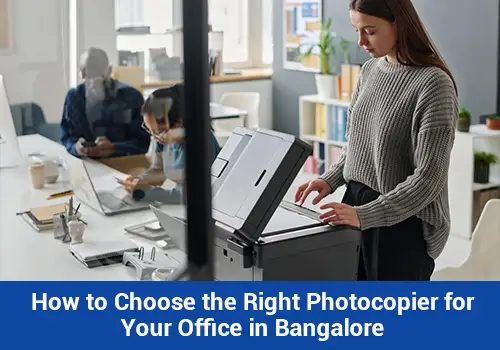
Choosing the right photocopier for your office in Bangalore is an important decision for any business. From printing invoices and contracts to copying reports and scanning important documents, office photocopiers help employees manage everyday administrative tasks more efficiently. However, with different machine types, features, and operating costs available, finding the right option can sometimes feel confusing.
For businesses in Bangalore, the ideal photocopier depends on office size, monthly printing volume, document requirements, and budget. A small startup may need a compact multifunction machine, while a large corporate office may require a high-speed photocopier capable of handling substantial workloads.
A-one Copier Services Pvt. Ltd. understands the importance of selecting office equipment according to practical business needs. This guide explains the key factors to consider before choosing a photocopier for your Bangalore office.
What Is the Best Photocopier for an Office in Bangalore?
The best office photocopier is one that matches your monthly printing volume, required features, operating budget, and available workspace. Businesses with basic document needs may find a black-and-white multifunction machine sufficient, whereas offices producing presentations, brochures, and colour reports may benefit from a colour photocopier.
Before making a decision, assess how frequently employees use the machine, whether scanning is required, and how much your organisation can spend on equipment and maintenance.
- Understand Your Office Printing Requirements
Start by identifying how your business uses printed documents. This simple step can help you avoid choosing a machine that is either too basic or unnecessarily expensive.
Consider the following questions:
- How many pages does your office print each month?
- Do you primarily print black-and-white documents or colour materials?
- Does your team need scanning and duplex printing?
- How many employees will share the photocopier?
- Will the machine be used occasionally or throughout the working day?
For example, a small consultancy may mainly print agreements and invoices. A corporate office may require faster printing, automatic document feeding, and regular scanning. An educational institution may need equipment suited to frequent copying.
Understanding these requirements helps narrow down the available options.
- Choose Between Black-and-White and Colour Photocopiers
The choice between monochrome and colour printing depends on the documents your business produces.
Black-and-White Photocopiers
Black-and-white machines are suitable for offices that primarily handle text documents, invoices, internal reports, application forms, and business correspondence.
They can be a practical option when colour printing is not a regular requirement.
Colour Photocopiers
Colour photocopiers are useful for organisations that frequently print presentations, charts, marketing materials, proposals, and other documents where colour matters.
However, colour printing can involve higher running costs. Consider your actual usage before selecting a colour-capable machine.
- Check Printing Speed and Monthly Capacity
Printing speed becomes particularly important when multiple employees use the same machine.
Photocopier speed is generally measured in pages per minute (PPM). A machine with a higher PPM rating can produce documents faster under suitable operating conditions, although actual performance depends on document complexity, settings, and workload.
You should also check the machine’s recommended monthly print volume and maximum duty cycle. These figures are not interchangeable: the maximum duty cycle indicates a machine’s upper rated workload, while the recommended volume is a more useful guide for regular office use.
Choose equipment that can comfortably support your normal printing needs and occasional busy periods.
- Consider Multifunction Photocopiers
Many modern office photocopiers combine several functions in one device, reducing the need for separate equipment.
Common features include:
- Printing and photocopying
- Scanning documents to digital formats
- Automatic two-sided printing
- Automatic document feeding
- Network connectivity for shared office access
- Security features for business documents
For businesses managing both physical and digital paperwork, a multifunction photocopier can simplify everyday workflows.
Before selecting a model, verify that the required features are included. Not every machine offers the same connectivity, security, or document-handling capabilities.
- Compare the Total Cost of Ownership
The purchase price or monthly rental fee is only one part of the overall cost of operating a photocopier.
Businesses should consider toner, drums, paper, maintenance, replacement parts, electricity consumption, and potential downtime.
If you are comparing purchasing with renting, review the total expected cost over your intended period of use. A rental plan may reduce the initial investment, but its overall value depends on the monthly charges, included services, consumables, and contract duration.
Ask for a written quotation that clearly explains all recurring and additional costs.
- Should Your Bangalore Office Rent or Buy a Photocopier?
The right choice depends on your budget, expected usage, and long-term plans.
Factor | Renting a photocopier | Buying a photocopier |
Initial investment | Usually lower upfront expenditure | Requires purchase payment |
Maintenance | May be included, depending on the contract | Usually arranged and paid for by the owner |
Flexibility | Depends on rental duration and upgrade terms | Greater control over the owned equipment |
Long-term cost | Depends on rental fees and included services | Depends on purchase price and ongoing costs |
Best suited for | Businesses preferring an agreed rental arrangement | Businesses planning long-term ownership |
For a startup, temporary office, or organisation that prefers to preserve upfront capital, renting may be worth considering. A business with consistent long-term requirements may prefer ownership after comparing the total costs.
Neither option is automatically better for every business.
- Check Maintenance and Technical Support
A photocopier problem can interrupt daily office work, especially when several departments depend on the same machine.
Before selecting a supplier, understand how servicing and repairs are handled. Ask about maintenance schedules, technical support, response times, and the procedure to follow if the machine stops working.
If you are renting, check whether toner, replacement parts, labour, and service visits are included in the agreement. Confirm whether breakdown-related replacement equipment is available rather than assuming it will be provided.
For a Bangalore office, also verify that the provider can serve your specific location.
- Look for Reliable Security and Connectivity Features
Office photocopiers may process contracts, financial documents, employee records, and other confidential information. Security should therefore be part of the selection process.
Depending on your business requirements, useful features may include user authentication, secure print release, access restrictions, and protected network communication.
If a photocopier stores document data internally, ask how that information is managed when the machine is returned, replaced, or disposed of.
Network compatibility is equally important. Confirm that the machine works with your office computers, operating systems, and existing network arrangements.
- Consider Office Space and Ease of Use
A photocopier should fit comfortably into your workplace without obstructing employee movement or creating difficulties during paper replacement and maintenance.
Check the machine’s physical dimensions, paper tray capacity, ventilation requirements, and access space for servicing.
Ease of use also matters. An intuitive control panel, straightforward scanning process, and simple paper-loading mechanism can help employees complete tasks without unnecessary delays.
- Why Consider A-one Copier Services Pvt. Ltd.?
Choosing office equipment is easier when you understand your requirements before comparing available options.
A-one Copier Services Pvt. Ltd. can use a needs-based approach to help businesses evaluate photocopier solutions according to printing volume, required functions, budget, and preferred rental or purchase arrangement.
When discussing your requirements, provide an estimate of your monthly page volume, explain whether colour printing is necessary, and identify any essential scanning or security features.
Businesses in Bangalore should confirm equipment availability, delivery coverage, installation arrangements, pricing, and maintenance terms before finalising their decision.
Frequently Asked Questions
- Which photocopier is best for a small office in Bangalore?
A compact multifunction photocopier may suit a small office that needs routine printing, copying, and scanning. The best model depends on monthly page volume, budget, colour requirements, and available space.
- How do I calculate the printing capacity required for my office?
Estimate your average monthly page count using existing printer records or recent usage. Consider the number of employees, peak-period demand, and expected business growth. Choose a machine with a recommended monthly volume that comfortably accommodates these requirements.
- Is a colour photocopier worth it for an office?
A colour photocopier can be useful when your business frequently prints presentations, charts, promotional materials, or colour reports. If most documents are text-based, a black-and-white machine may be more economical.
- What is the difference between a photocopier and a multifunction printer?
A traditional photocopier primarily focuses on copying documents. A multifunction printer combines functions such as printing, copying, and scanning, with some models offering additional capabilities.
- Is renting a photocopier more economical than buying one?
Renting can reduce the upfront financial commitment and may include certain services. Buying may offer better value for some long-term users. Compare rental charges, maintenance, consumables, purchase costs, and expected usage over the same period.
- What should I check before signing a photocopier rental agreement?
Review the rental duration, monthly fee, security deposit, printing allowance, excess-page charges, toner costs, maintenance coverage, breakdown support, and cancellation terms.
- How important is after-sales support when selecting a photocopier?
Reliable support can help reduce downtime and keep office tasks running smoothly. Check the provider’s service coverage, response arrangements, maintenance terms, and repair process before making a decision.
- Can one photocopier serve an entire office?
Yes, if its printing speed, monthly capacity, paper handling, and network connectivity suit the number of users and the overall workload. High-volume offices may need more than one device to avoid bottlenecks.
Conclusion
Choosing the right photocopier for your office in Bangalore requires more than comparing machine prices. Printing volume, colour requirements, multifunction capabilities, running costs, security, maintenance, and office space all influence the final decision.
By assessing these factors in advance, businesses can choose equipment that supports everyday operations without paying for unnecessary features. A-one Copier Services Pvt. Ltd. can be approached to discuss suitable options, subject to confirmed equipment availability and service coverage.
Evaluate your office’s requirements, compare the complete costs, and select a photocopier that supports your business both now and as it grows.