

Aone Photocopier Machine

“Your Trusted Partner for Printer Rentals 2 Hours Service Guarantee”

"Your Trusted Partner for Printer Rentals 2 Hours Service Guarantee"

A-One Copier Services

Author name: Aone

Reduce Office Printing Costs in Gurgaon
Blog

How Can Gurgaon Businesses Reduce Office Printing Costs ?

Printing remains an important part of everyday business operations. Offices use printed documents for invoices, agreements, reports, presentations, customer records, and internal communication. However, paper, toner, equipment maintenance, and unnecessary printing can gradually increase operating expenses. For businesses in Gurgaon, managing printing costs is about more than buying cheaper paper or choosing a low-priced photocopier. A well-planned printing process can help reduce waste, improve equipment efficiency, and make office expenses easier to manage. A-one Copier Services Pvt. Ltd. recommends reviewing your office’s printing habits, equipment requirements, and operating costs to identify opportunities for improvement. In this guide, we explore practical ways businesses can control printing expenses without compromising everyday productivity. How Can Businesses Reduce Office Printing Costs ? Businesses can reduce office printing costs by avoiding unnecessary printing, using duplex settings, monitoring toner and paper consumption, selecting equipment suited to their workload, and maintaining photocopiers regularly. The most effective approach is to understand where money is being spent and make improvements that fit your office’s actual requirements. Review Your Monthly Printing Usage Before making changes, understand how your office currently uses its printing equipment. Review the approximate number of pages printed each month, the percentage of colour pages, the number of employees using the machine, and the types of documents printed most frequently. Ask questions such as : Are employees printing documents that could be shared digitally? Are colour prints being used when black-and-white output would be sufficient? Do employees frequently reprint documents because of formatting errors? Is the photocopier being used beyond its recommended workload? Are printing supplies being replaced before they are needed? This basic review can help identify unnecessary expenses and establish a starting point for measuring improvement. Use Double-Sided Printing Whenever Possible Single-sided printing can consume significant amounts of paper when offices regularly print reports, contracts, training material, or internal documents. Enabling automatic duplex printing allows a compatible photocopier to print on both sides of a sheet. Benefits may include: Lower paper consumption. Less paper storage space required. Reduced waste from routine document printing. More efficient handling of lengthy reports. However, double-sided printing is not suitable for every document. Legal paperwork, forms, or customer-facing material may require a specific format. Set duplex printing as the default where it makes sense for your business. Reduce Unnecessary Colour Printing Colour printing can cost more than black-and-white printing, depending on the machine, toner usage, and document design. Review which documents genuinely need colour output. Internal reports, draft documents, routine emails, and many administrative records can often be printed in black and white. Practical steps include: Set black-and-white printing as the default for routine documents. Reserve colour printing for presentations, charts, and marketing materials that need it. Preview documents before printing to check formatting. Avoid printing large images when they are not required. These small adjustments can help reduce colour toner consumption without affecting the quality of important business documents. Choose a Photocopier That Matches Your Workload Using the wrong equipment can increase operating costs. A machine designed for a very high workload may be unnecessary for a small office, while a basic model may struggle in a workplace with frequent large print jobs. When selecting a photocopier, consider: Monthly print volume. Pages printed per minute. Recommended monthly capacity. Black-and-white versus colour requirements. Duplex printing and scanning features. Toner costs and availability. Maintenance and repair requirements. The goal is to select a machine that handles your regular workload efficiently without paying for capacity or features your team rarely uses. Compare Photocopier Rental and Purchase Costs Businesses in Gurgaon may consider renting or purchasing a photocopier, depending on their budget and expected equipment usage. Photocopier Rental Rental can reduce the initial equipment expenditure and provide a recurring payment structure. Depending on the agreement, maintenance or technical support may also be included. Before signing, confirm the rental fee, monthly page allowance, consumable costs, maintenance coverage, and extra-printing charges. Photocopier Purchase Buying provides equipment ownership and may suit businesses planning to use the same machine over several years. However, the initial purchase price is only one part of the overall expense. Account for toner, paper, servicing, replacement parts, and downtime when comparing ownership with rental. Tip: Compare the estimated total cost over the period you intend to use the equipment rather than comparing only the purchase price with the monthly rental fee. Maintain Your Photocopier Regularly Regular maintenance can help a photocopier operate as intended and reduce interruptions caused by avoidable equipment problems. Poor print quality, paper jams, and worn components can waste supplies and employee time. Follow the manufacturer’s maintenance recommendations and arrange servicing when required. Useful practices include: Keep the machine clean according to its instructions. Use compatible paper and recommended consumables. Address recurring paper jams promptly. Replace consumables when indicated by the machine. Arrange appropriate servicing. Keep ventilation areas clear. If your photocopier is rented, check the agreement to understand which maintenance services and repairs are included. Monitor Toner and Paper Consumption Untracked supplies can lead to waste, unnecessary purchases, or shortages during busy periods. Keep a simple monthly record of paper purchases, toner replacements, maintenance costs, and total printed pages. If your machine supports usage reports, review them periodically. This information can help your business identify changes in printing habits and compare equipment performance over time. For example, if colour toner consumption rises significantly, you can investigate whether more documents are being printed in colour than necessary. Encourage Smarter Printing Habits Among Employees Printing efficiency depends on everyday employee behaviour as much as on the equipment itself. Create simple office guidelines that encourage staff to: Review documents before printing. Use digital sharing for documents that do not require paper. Print only the necessary pages. Use duplex printing where appropriate. Avoid unnecessary test prints. Collect documents promptly from shared machines. For confidential documents, establish suitable access controls and secure document-handling procedures. The objective is not to prevent necessary printing, but to make sure office resources are used thoughtfully. Consider Digital Document Management Many routine business processes can be handled
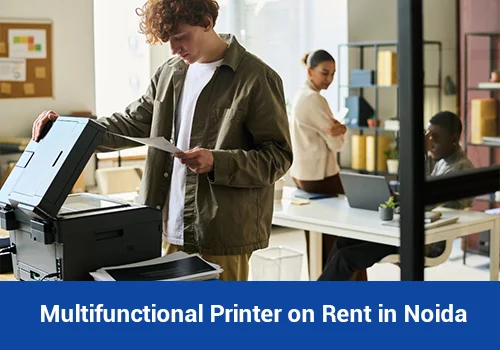

Multifunctional printer for office printing, scanning and copying in Noida
Blog

Multifunctional Printer on Rent in Noida

Multifunctional Printer on Rent in Noida: Benefits, Costs & How to Choose Modern offices depend on fast, reliable document management to handle daily business activities. From printing reports and scanning invoices to copying contracts and maintaining employee records, printing equipment remains an essential part of office operations. However, purchasing a multifunctional printer requires an initial investment, along with ongoing expenses for toner, maintenance, repairs and replacement parts. For many businesses, renting a printer can be a practical alternative. Choosing a multifunctional printer on rent in Noida allows businesses to access printing, scanning and copying facilities without purchasing expensive equipment upfront. It can be especially useful for startups, corporate offices, educational institutions, consultancies and businesses with changing printing requirements. In this guide, we explain how multifunctional printer rentals work, their key benefits, the features to consider and how to choose a suitable machine for your office. What Is a Multifunctional Printer? A multifunctional printer, also known as an MFP or all-in-one printer, combines multiple document management functions in a single machine. Depending on the model, it may support printing, scanning, photocopying and faxing. Instead of purchasing separate devices for different tasks, businesses can use one machine for several office requirements. Common functions include: Printing: Print reports, invoices, business proposals and other documents. Scanning: Convert paper documents into digital files for storage and sharing. Photocopying: Make copies of contracts, forms, identification documents and office records. Duplex printing: Print on both sides of paper to reduce paper consumption. Network printing: Allow multiple authorised employees to use the same printer. Automatic document feeding: Scan or copy multiple pages more efficiently, depending on the model. These features make multifunctional printers suitable for offices that handle regular document processing. Why Consider a Multifunctional Printer on Rent in Noida? Noida has a diverse business environment that includes IT companies, startups, consulting firms, educational institutions, manufacturers and corporate offices. These organisations often need reliable printing facilities without unnecessarily increasing their operational expenses. Renting a multifunctional printer can help businesses access the equipment they need while keeping their initial investment under control. Reduce Initial Equipment Costs Buying a commercial multifunction printer can require a significant upfront payment, particularly when a business needs high-speed printing, scanning and copying capabilities. With a rental arrangement, the business generally pays an agreed rental amount instead of purchasing the machine outright. This can help preserve funds for salaries, marketing, technology and other business priorities. Rental pricing varies according to the printer model, monthly print volume, rental duration and services included in the agreement. Combine Printing, Scanning and Copying A multifunctional printer brings several document management functions together in one device. Employees can print reports, scan signed documents and copy important paperwork without switching between separate machines. This can simplify everyday office workflows and help make better use of available workspace. For offices with shared printing requirements, one appropriately selected device may be sufficient for several employees. Access Maintenance and Technical Support Commercial printers need regular attention to maintain print quality and reduce downtime. Toner replacement, paper-feed issues, worn components and connectivity problems can affect office productivity. Depending on the rental agreement, the service provider may include maintenance, technical support, toner or consumables. Before finalizing a rental contract, confirm exactly which services are included, how service requests are handled and whether replacement equipment is available if the machine develops a major fault. Choose Equipment According to Office Workload Not every office needs the same type of printer. A small consultancy may need a compact multifunction printer, while a large corporate office may require a high-speed machine with a greater monthly duty cycle. Rental arrangements can help businesses select equipment that better matches their current printing requirements. For example, a growing company can evaluate whether its existing printer remains suitable as the number of employees and monthly print volume increase. Make Better Use of Office Space Using one multifunctional printer instead of separate printing, scanning and copying devices can help reduce equipment clutter. This is useful for smaller offices, coworking spaces and startups where workspace needs to be organised efficiently. Before selecting a machine, consider its physical dimensions, paper-tray capacity, access requirements and the space needed for routine maintenance. Manage Printing Expenses More Effectively Printer rental costs are easier to evaluate when businesses understand the complete pricing structure. A rental plan may include a fixed monthly fee, a specified number of prints or a separate charge for additional pages. Toner, paper, maintenance and taxes may be included or billed separately. Ask the provider for a written breakdown of all charges. Comparing the total expected monthly expense is more useful than comparing the rental fee alone. Adapt to Changing Business Requirements Business printing needs can change because of new employees, additional departments, seasonal workloads or office expansion. A rental arrangement may provide flexibility to upgrade, downgrade or replace equipment, subject to the terms of the contract. Check the minimum rental period, upgrade conditions, notice period and any charges for early termination before making a decision. Which Multifunctional Printer Is Right for Your Office? The best printer depends on how often your employees print, the types of documents they handle and the features they need. Consider the following common requirements before choosing a rental machine. For Small Offices and Startups A compact multifunction printer may be appropriate for teams with moderate printing needs. Look for reliable printing, scanning, copying, network connectivity and easy toner replacement. A model with duplex printing can also help reduce paper use when employees frequently print multi-page documents. For Corporate Offices Larger offices may benefit from a commercial multifunction printer with faster print speeds, higher paper capacity, network access and support for multiple users. Features such as secure printing, user authentication and document-feeding capabilities may be important when handling confidential business documents. For Educational Institutions Schools, colleges and training centres may require printers for worksheets, examination papers, administrative documents and student records. Consider expected print volume, paper capacity, print quality and the ability to handle large batches of documents during busy periods. For

printer-on-rent-for-school
Blog

Need a Printer for Your School? 7 Smart Reasons to Consider Renting

Schools handle printing every day, from worksheets and examination papers to student assignments, admission forms, report cards and administrative documents. With so many printing requirements, having a reliable printer is essential for smooth school operations. However, purchasing printing equipment can require a significant upfront investment. Schools must also consider toner or ink costs, paper consumption, maintenance and occasional repairs. This is why many educational institutions consider a printer on rent for school as a flexible way to manage their printing needs. Printer rental allows schools to use suitable printing equipment without purchasing the machine outright. Depending on the agreement, rental services may also offer installation, technical support and maintenance. In this guide, we explain the benefits of printer rental for schools, how to choose the right printer, what costs to consider and how educational institutions can make a practical decision. What Is a Printer Rental Service for Schools? A printer rental service allows a school to use a printer for an agreed period in exchange for a recurring rental payment. Instead of purchasing the machine, the school selects suitable equipment according to its printing requirements and budget. Some rental plans may include installation, maintenance, repairs or consumables, while others charge for these services separately. Schools should always check the rental agreement before making a decision. A school printer rental arrangement can be useful for: Primary and secondary schools Private educational institutions Colleges and universities Coaching centres and tuition institutes School administration offices Examination departments and academic offices The right rental plan depends on the number of students, monthly print volume, required printer features and available budget. 7 Smart Reasons to Rent a Printer for Your School Reduce the Initial Investment in Printing Equipment Schools need to manage several expenses, including classroom resources, laboratory equipment, teaching materials, infrastructure and administrative operations. Purchasing multiple printers can add to these initial costs. Renting can help reduce the upfront investment because the school pays a recurring fee instead of purchasing the equipment outright. This approach may be especially useful for new schools, growing institutions and schools that need additional printing capacity during a particular academic period. Before choosing a rental plan, compare the total rental cost over the intended period with the cost of purchasing and maintaining a printer. Print Worksheets, Assignments and Examination Papers Efficiently Teachers regularly prepare worksheets, practice exercises, lesson notes and classroom activities. Examination departments may also need to print question papers, answer sheets, schedules and instructions. A suitable printer helps staff handle these everyday tasks more efficiently. When choosing a printer for school use, consider: Printing speed for regular document workloads Clear text quality for educational material Paper capacity for larger printing jobs Duplex printing to reduce paper usage Network connectivity for authorised staff Monthly workload suitability For schools with frequent printing requirements, a business-oriented printer may be more appropriate than a basic home printer. Schools should also establish access controls for confidential examination material and student records. Choose Equipment That Matches Your School’s Needs Every school has different printing requirements. A small school office may need a compact printer, while a larger institution may require equipment that supports multiple staff members and frequent printing. For example, a school that mainly prints notices and administrative documents may be well served by a suitable monochrome printer. An institution that frequently prints coloured charts, presentations and learning resources may need a colour printer. If staff regularly scan documents or make copies, a multifunction printer may be a better option. Before renting, estimate the monthly print volume and identify the features your staff actually use. This helps avoid paying for unnecessary capacity or selecting a machine that cannot comfortably handle the workload. Get Access to Maintenance and Technical Support A printer breakdown during examination preparation, admissions or report-card distribution can disrupt school activities. When comparing printer rental services, find out what happens if the equipment develops a fault. Ask the provider: Is routine maintenance included? Are repairs covered by the rental fee? How quickly are service requests handled? Are replacement parts included? Is a replacement machine available if the printer cannot be repaired promptly? Who is responsible for toner, ink and other consumables? These services are not automatically included in every rental plan. Confirm the details in writing before signing the agreement. A clearly defined support arrangement helps the school plan for printer issues and understand the provider’s responsibilities. Manage Printing Costs More Effectively The cost of school printing is not limited to the printer itself. Paper, toner or ink, servicing and electricity can also contribute to operating expenses. Renting may make equipment costs easier to plan, but the total savings depend on the rental terms and actual usage. Schools can manage printing expenses by: Printing double-sided documents where appropriate Using black-and-white printing for routine text documents Reviewing unnecessary duplicate printouts Sharing suitable network printers between departments Selecting the right print quality for each task Monitoring monthly print volumes Comparing toner or ink costs before selecting a model Ask the rental provider whether the monthly fee includes consumables and whether there are page limits or additional charges for excess printing. Comparing the full cost of printing is more useful than comparing monthly rental fees alone. Support Changing Requirements During the Academic Year School printing requirements often change throughout the year. Admission periods may require additional forms and information sheets. Examination seasons can increase demand for question papers and supporting documents. Regular classroom activities create a steady need for worksheets, assignments and notices. A rental arrangement may help schools obtain suitable equipment without committing to ownership. Some providers may also offer flexible rental durations or equipment options, subject to availability and contract terms. Before signing, confirm the minimum rental period, renewal conditions, equipment replacement policy and any charges for early termination. This is particularly important for temporary campuses, short-term programmes and institutions that expect changes in student strength. Simplify Printing, Scanning and Administrative Work Modern school administration involves both physical paperwork and digital records. Staff may need to print admission documents, scan

Photocopier Rental Solutions for Businesses
Blog

Photocopier Rental Solutions for Businesses

Photocopier Rental Solutions for Businesses | Flexible Copier Rental Solutions for Businesses Every business depends on documents in some way. From printing invoices and employee records to preparing reports, proposals, contracts, and presentations, reliable printing equipment helps everyday office work run smoothly. However, purchasing a commercial photocopier is not always the most practical option, especially for startups, growing companies, and businesses that want to manage their operating expenses carefully. A-one Copier Services Pvt Ltd provides photocopier rental solutions for businesses looking for a photocopier machine on rent in Bangalore. Renting allows businesses to use suitable printing equipment without making a large upfront investment in purchasing a machine. It can also make it easier to plan printing expenses and arrange technical support according to the agreed rental package. Whether you manage a small office, a corporate workspace, an educational institution, or a business with high-volume printing requirements, choosing the right photocopier can make a noticeable difference to your daily operations. If your business needs a dependable photocopying and printing setup, A-one Copier Services Pvt Ltd can help you explore rental options based on your workload, document requirements, and budget. Why Choose a Photocopier Machine on Rent in Bangalore? Bangalore, also known as Bengaluru, is home to IT companies, startups, educational institutions, manufacturing businesses, consultancies, healthcare organisations, and corporate offices. These businesses have different document management requirements, but many need consistent access to printing, copying, and scanning facilities. Buying a photocopier may require a considerable initial investment. In addition to the purchase price, businesses may need to consider servicing, consumables, repairs, and equipment replacement over time. Choosing a photocopier machine on rent in Bangalore offers an alternative. Instead of purchasing the equipment outright, your organisation can select a rental arrangement suited to its operational needs. Here are some reasons why businesses consider photocopier rentals: Reduce the Initial Investment A commercial photocopier can represent a significant expense. Renting helps businesses avoid paying the full purchase price at the beginning. This can be useful for startups, small and medium-sized enterprises, and companies opening a new branch. The money that would otherwise be spent on equipment can remain available for other business priorities, such as staffing, technology, marketing, or daily operations. Plan Printing Expenses More Effectively Unexpected repair expenses can make office budgets difficult to manage. A rental arrangement can make equipment costs easier to plan, depending on the agreed monthly rental, included services, and usage terms. Before selecting a plan, ask for a clear explanation of rental charges, printing limits, additional copy costs, consumables, and maintenance coverage. Understanding these details helps you compare rental options more confidently. Get Equipment Suited to Your Workload A small office that prints a few hundred pages a month does not necessarily need the same machine as a company producing thousands of pages every day. With rental solutions, businesses can discuss their current printing volume and choose equipment accordingly. If requirements change, you can ask whether an upgrade or revised rental arrangement is available. Avoid Managing Every Technical Issue Internally A photocopier may experience paper jams, print-quality issues, connectivity problems, or routine maintenance requirements. Depending on your rental package, technical support and servicing may be available through the rental provider. This can reduce the need for your employees to spend time coordinating equipment repairs themselves. Support Changing Business Requirements Businesses often expand, relocate, open additional offices, or undertake temporary projects. Purchasing a machine for every changing requirement may not always be practical. A rental arrangement can offer flexibility when your business needs printing equipment for a particular office, project, or period. The available duration and equipment options should be confirmed before booking. Photocopier Rental Services for Different Business Needs A-one Copier Services Pvt Ltd helps businesses explore photocopier rental options according to their document requirements. The appropriate equipment depends on factors such as print volume, paper size, colour requirements, number of users, and the functions needed. Multifunction Photocopier Machines A multifunction photocopier combines several document-related tasks in one device. Depending on the model, it may support printing, copying, scanning, and network connectivity. This type of machine can be useful for offices where employees regularly work with invoices, reports, application forms, contracts, and administrative records. Instead of maintaining separate devices for different tasks, a multifunction machine can help simplify the office setup. Black-and-White Photocopiers Black-and-white photocopiers are suitable for organisations that primarily produce text documents and routine paperwork. Common uses include: Invoices and billing records Employee documents and internal notices Legal paperwork and agreements School worksheets and examination papers Financial statements and administrative reports Office forms and business correspondence If most of your documents contain text rather than colour graphics, a black-and-white machine may be a practical option. Colour Photocopier Machines Some businesses regularly print presentations, brochures, marketing materials, charts, and other documents where colour is important. A colour photocopier can help produce documents with clearer visual presentation. It may be useful for advertising agencies, design teams, real estate offices, training centres, and corporate departments. When selecting a colour machine, consider how frequently you print in colour, the expected volume, the required print quality, and the cost of colour consumables. High-Volume Photocopiers Organizations with substantial daily printing requirements may need equipment designed to handle heavier workloads. Examples include educational institutions, large corporate offices, document processing departments, and businesses that produce reports or training material in bulk. Before choosing a high-volume machine, discuss your estimated monthly page count, peak usage periods, paper sizes, finishing requirements, and expected turnaround time. Photocopier Machine on Rent in Bangalore for Different Industries Different industries use photocopiers in different ways. Choosing equipment based on actual working conditions helps businesses avoid paying for features they rarely use or selecting a machine that cannot keep up with demand. IT Companies and Technology Offices Technology companies often print project documentation, meeting notes, contracts, onboarding forms, and internal reports. A shared multifunction photocopier can give employees access to routine document services from one central location. Network connectivity may also allow authorised users to print from their workstations, depending on

Need a Photocopier on Rent in Faridabad
Blog

Need a Photocopier on Rent in Faridabad?

Need a Photocopier on Rent in Faridabad? 7 Smart Ways to Cut Office Printing Costs Running an office means managing several expenses, from employee salaries and rent to stationery and everyday printing. While these costs may seem small individually, they can add up quickly. One expense many businesses overlook is the cost of purchasing and maintaining a photocopier. If your office regularly prints invoices, business reports, contracts, forms, presentations, or customer documents, having a reliable photocopier is essential. However, purchasing an expensive machine is not always the most practical choice, especially for startups, small businesses, educational institutions, and growing companies. This is where renting office equipment can make a difference. With a suitable photocopier rental plan, businesses can access professional printing, copying, and scanning facilities without making a large upfront investment. A-One Copier Services Pvt. Ltd. helps businesses explore photocopier rental solutions according to their office requirements, printing volume, and budget. In this guide, we will explain how to choose the right photocopier, what to check before signing a rental agreement, and how your business can manage printing costs more effectively. Why Are More Businesses Considering Photocopier Rentals? Think about how much paperwork your office handles every week. Your accounts team may need invoices, the HR department may print employee documents, and your administration team may regularly copy reports and agreements. A dependable photocopier helps employees complete these tasks without relying on outside printing shops. However, buying a machine involves more than its purchase price. Businesses may also need to consider maintenance, replacement parts, toner, servicing, and future equipment upgrades. Renting offers an alternative. Instead of purchasing the machine outright, your business pays an agreed rental amount for using the equipment. Depending on the rental agreement, the service provider may also handle installation, maintenance, toner replacement, and technical support. For businesses that want predictable equipment expenses and professional printing facilities, renting can be a practical option. 7 Smart Ways a Photocopier Rental Can Help Reduce Office Costs 1. Avoid a Large Initial Investment Purchasing a commercial photocopier can require a significant upfront payment, particularly if your business needs a high-speed multifunction machine. Renting allows you to use suitable equipment without paying the entire purchase price at once. This can help you preserve working capital for other important business activities, such as hiring employees, purchasing inventory, marketing, and expanding operations. For startups and small offices, keeping cash available for day-to-day operations can be particularly valuable. 2. Make Maintenance Easier to Manage A photocopier may develop printing issues, paper jams, scanning problems, or other technical faults over time. When you own the machine, arranging repairs and finding suitable technicians becomes your responsibility. With a rental arrangement, maintenance and technical assistance may be included in the agreed package. Before choosing a provider, confirm exactly which services are covered and whether any additional charges apply. This helps your team spend less time dealing with equipment problems and more time focusing on important work. 3. Choose a Machine That Matches Your Printing Needs Not every office needs the same type of photocopier. A small consultancy may need a compact multifunction machine for occasional printing and scanning. A school, factory, corporate office, or legal firm may require a faster machine that can handle large volumes of paperwork. Renting makes it easier to discuss equipment options based on your actual requirements rather than purchasing a machine that may be too powerful or insufficient for your workload. 4. Keep Printing Expenses More Predictable Office printing costs can include rental charges, toner, servicing, spare parts, and per-page charges. A suitable rental agreement can help bring several of these expenses under a planned budget. Before finalising a contract, ask the provider about the monthly rental, included print volume, excess-page charges, consumables, taxes, and maintenance conditions. Understanding the complete cost is more useful than choosing a provider based only on the lowest advertised rental price. 5. Reduce Downtime With Technical Support Imagine your accounts department needs to print an urgent batch of invoices, but the photocopier suddenly stops working. Even a minor technical issue can interrupt daily operations. A rental provider with dependable support can help your business resolve equipment problems more efficiently. When comparing providers, ask about complaint response times, service availability, preventive maintenance, and whether a replacement machine is offered if repairs take longer than expected. These details are especially important for businesses that depend on continuous document processing. 6. Access Multifunction Printing Technology Modern office photocopiers can offer more than basic copying. Depending on the model, they may support printing, scanning, duplex printing, network connectivity, and other productivity features. A multifunction photocopier can help employees manage several document-related tasks using one machine. Before selecting a model, consider the number of users, print speed, colour requirements, paper sizes, scanning needs, and network compatibility. Choosing the right features can help prevent unnecessary equipment expenses. 7. Adjust Equipment as Your Business Grows Your printing requirements may change as your team expands, a new department opens, or your business takes on a large project. A rental arrangement may offer greater flexibility when you need different equipment or additional machines. However, upgrades and changes depend on the provider’s policies and the terms of your agreement. Discuss your expected business growth with the rental provider before signing a long-term contract. How to Choose the Right Photocopier for Your Office If you are comparing office equipment rental options, start by understanding how your team uses printed documents. The following factors can help you make a more informed decision. Monthly Printing Volume Estimate how many pages your office prints and copies in a typical month. A low-volume office may need a basic machine, while a busy corporate office may require commercial-grade equipment designed for heavier workloads. Always choose a machine with a suitable recommended duty cycle for your expected usage. Black-and-White or Colour Printing Black-and-white photocopiers are useful for invoices, reports, internal paperwork, and many administrative documents. Colour machines are helpful when your business regularly prints presentations, marketing materials, charts, or colour documents. If colour

Blog

Printer Copier Rental Services Guide: One Solution for Print, Copy and Scan Needs

For organisations evaluating printer copier rental services, the decision is rarely only about finding a machine. The real objective is to keep documents moving without unnecessary capital cost, repeated repair worries or avoidable downtime. A-One Copier Services Pvt. Ltd. has supplied printer and photocopier rental solutions since 2003, supporting offices with equipment selection, installation, network configuration, maintenance and technical assistance. Multifunction devices can reduce the number of separate machines an office maintains while supporting printing, scanning and copying from a shared network. Why Businesses in India Prefer Renting Multifunction Printers Buying a commercial multifunction printer can tie up capital in equipment that starts depreciating immediately. Rental allows an organisation to use a machine according to its current workload while keeping cash available for hiring, inventory, marketing, technology or expansion. Rental is also useful when print volumes change. A growing office may start with one multifunction device and later require a faster model or additional units. Instead of replacing owned equipment, the rental arrangement can be reviewed as the requirement evolves. Another practical benefit is service responsibility. Routine maintenance, troubleshooting and consumable planning can consume staff time. A structured rental plan reduces that administrative burden and gives the office a defined support route when the machine needs attention. What to Check Before Renting a Multifunction Printer Start with monthly print and copy volume. A low-volume team does not need the same hardware as a legal office, school, hospital or back-office operation producing thousands of pages. Choosing capacity correctly affects both cost and reliability. Check whether you need monochrome or colour output, A4 or A3 paper handling, duplex printing, scanning, network printing, secure user access and finishing features. It is better to define these requirements before selecting a model than to pay for features the team will rarely use. Ask how service calls, preventive maintenance, toner or consumables, spare parts, replacement equipment and response timelines are handled. The rental price matters, but business continuity often matters more. Where Rental Creates the Most Value Printer and photocopier rental can suit corporate offices, startups, schools, coaching centres, hospitals, diagnostic centres, law firms, chartered accountants, government departments, real-estate teams, warehouses and manufacturing units. Each sector has a different document workflow, so machine selection should follow actual usage rather than a generic package. Short projects, new branches, temporary offices, seasonal workloads and events can also justify rental. In these cases, buying hardware for a limited requirement can create avoidable storage, resale and maintenance issues after the project is complete. How A-One Copier Services Supports Business Printing Businesses can explore printer rental services for flexible office requirements. Depending on location and workload, relevant service pages include photocopier machine on rent in Delhi, printer on rent in Noida, photocopier machine on rent in Mumbai, and photocopier machine on rent in Hyderabad. These options are useful for organisations that want installation, maintenance and technical support to be handled as part of the rental relationship. A Practical Rental Decision Checklist Estimate average monthly pages and peak-period volume. Note how many users will share the device and whether multiple departments need access. List must-have functions such as print, copy, scan, colour, A3, duplex, wireless or network printing. Separate essential features from nice-to-have features. Compare rental terms beyond the headline monthly price. Clarify support coverage, consumables, maintenance, service response, upgrades and replacement arrangements. Confirm installation and network setup requirements before delivery so the device can be productive from day one rather than sitting unused while drivers or access settings are being resolved. Review the arrangement periodically. If print volume rises or falls, a different machine may be more economical and reliable. Frequently Asked Questions Is printer copier rental services suitable for small businesses? Yes. A small office can rent a device matched to modest print volumes and avoid purchasing more equipment than it needs. Are maintenance and technical support important in a rental plan? Yes. Support terms can have a direct effect on uptime, so businesses should understand what is included before signing an agreement. Can a rented machine be upgraded later? In many rental arrangements, equipment can be reviewed when usage changes. The exact upgrade terms should be confirmed with the provider. What information should I share before asking for a quote? Share expected monthly volume, colour or monochrome requirement, paper size, number of users, scanning needs, location and preferred rental duration. Conclusion Printer Copier Rental Services can be a practical way to obtain reliable business printing capacity without committing capital to equipment ownership. The best result comes from matching the device and service plan to real workload, not simply choosing the cheapest machine. Visit A-One Copier Services to discuss machine type, print volume, rental duration and support requirements before selecting a suitable printer or photocopier.

Blog

Commercial Printer for Rent: Planning for High-Volume Output

For organisations evaluating commercial printer for rent, the decision is rarely only about finding a machine. The real objective is to keep documents moving without unnecessary capital cost, repeated repair worries or avoidable downtime. A-One Copier Services Pvt. Ltd. has supplied printer and photocopier rental solutions since 2003, supporting offices with equipment selection, installation, network configuration, maintenance and technical assistance. High-volume operations need to consider duty cycle, speed, paper handling, service frequency and redundancy because a breakdown can affect many users at once. Why Businesses in India Prefer Renting Commercial Printers Buying a commercial commercial printer can tie up capital in equipment that starts depreciating immediately. Rental allows an organisation to use a machine according to its current workload while keeping cash available for hiring, inventory, marketing, technology or expansion. Rental is also useful when print volumes change. A growing office may start with one multifunction device and later require a faster model or additional units. Instead of replacing owned equipment, the rental arrangement can be reviewed as the requirement evolves. Another practical benefit is service responsibility. Routine maintenance, troubleshooting and consumable planning can consume staff time. A structured rental plan reduces that administrative burden and gives the office a defined support route when the machine needs attention. What to Check Before Renting a Commercial Printer Start with monthly print and copy volume. A low-volume team does not need the same hardware as a legal office, school, hospital or back-office operation producing thousands of pages. Choosing capacity correctly affects both cost and reliability. Check whether you need monochrome or colour output, A4 or A3 paper handling, duplex printing, scanning, network printing, secure user access and finishing features. It is better to define these requirements before selecting a model than to pay for features the team will rarely use. Ask how service calls, preventive maintenance, toner or consumables, spare parts, replacement equipment and response timelines are handled. The rental price matters, but business continuity often matters more. Where Rental Creates the Most Value Printer and photocopier rental can suit corporate offices, startups, schools, coaching centres, hospitals, diagnostic centres, law firms, chartered accountants, government departments, real-estate teams, warehouses and manufacturing units. Each sector has a different document workflow, so machine selection should follow actual usage rather than a generic package. Short projects, new branches, temporary offices, seasonal workloads and events can also justify rental. In these cases, buying hardware for a limited requirement can create avoidable storage, resale and maintenance issues after the project is complete. How A-One Copier Services Supports Business Printing Businesses can explore printer rental services for flexible office requirements. Depending on location and workload, relevant service pages include photocopier machine on rent in Delhi, printer on rent in Noida, photocopier machine on rent in Mumbai, and photocopier machine on rent in Hyderabad. These options are useful for organisations that want installation, maintenance and technical support to be handled as part of the rental relationship. A Practical Rental Decision Checklist Estimate average monthly pages and peak-period volume. Note how many users will share the device and whether multiple departments need access. List must-have functions such as print, copy, scan, colour, A3, duplex, wireless or network printing. Separate essential features from nice-to-have features. Compare rental terms beyond the headline monthly price. Clarify support coverage, consumables, maintenance, service response, upgrades and replacement arrangements. Confirm installation and network setup requirements before delivery so the device can be productive from day one rather than sitting unused while drivers or access settings are being resolved. Review the arrangement periodically. If print volume rises or falls, a different machine may be more economical and reliable. Frequently Asked Questions Is commercial printer for rent suitable for small businesses? Yes. A small office can rent a device matched to modest print volumes and avoid purchasing more equipment than it needs. Are maintenance and technical support important in a rental plan? Yes. Support terms can have a direct effect on uptime, so businesses should understand what is included before signing an agreement. Can a rented machine be upgraded later? In many rental arrangements, equipment can be reviewed when usage changes. The exact upgrade terms should be confirmed with the provider. What information should I share before asking for a quote? Share expected monthly volume, colour or monochrome requirement, paper size, number of users, scanning needs, location and preferred rental duration. Conclusion Commercial Printer for Rent can be a practical way to obtain reliable business printing capacity without committing capital to equipment ownership. The best result comes from matching the device and service plan to real workload, not simply choosing the cheapest machine. Visit A-One Copier Services to discuss machine type, print volume, rental duration and support requirements before selecting a suitable printer or photocopier.

Blog

Canon Printer on Rent: When a Branded Business Printer Makes Sense

For organisations evaluating canon printer on rent, the decision is rarely only about finding a machine. The real objective is to keep documents moving without unnecessary capital cost, repeated repair worries or avoidable downtime. A-One Copier Services Pvt. Ltd. has supplied printer and photocopier rental solutions since 2003, supporting offices with equipment selection, installation, network configuration, maintenance and technical assistance. Brand preference can be useful when an organisation already has drivers, workflows or staff familiarity built around a particular ecosystem, but workload and service coverage should still lead the decision. Why Businesses in India Prefer Renting Printers Buying a commercial printer can tie up capital in equipment that starts depreciating immediately. Rental allows an organisation to use a machine according to its current workload while keeping cash available for hiring, inventory, marketing, technology or expansion. Rental is also useful when print volumes change. A growing office may start with one multifunction device and later require a faster model or additional units. Instead of replacing owned equipment, the rental arrangement can be reviewed as the requirement evolves. Another practical benefit is service responsibility. Routine maintenance, troubleshooting and consumable planning can consume staff time. A structured rental plan reduces that administrative burden and gives the office a defined support route when the machine needs attention. What to Check Before Renting a Printer Start with monthly print and copy volume. A low-volume team does not need the same hardware as a legal office, school, hospital or back-office operation producing thousands of pages. Choosing capacity correctly affects both cost and reliability. Check whether you need monochrome or colour output, A4 or A3 paper handling, duplex printing, scanning, network printing, secure user access and finishing features. It is better to define these requirements before selecting a model than to pay for features the team will rarely use. Ask how service calls, preventive maintenance, toner or consumables, spare parts, replacement equipment and response timelines are handled. The rental price matters, but business continuity often matters more. Where Rental Creates the Most Value Printer and photocopier rental can suit corporate offices, startups, schools, coaching centres, hospitals, diagnostic centres, law firms, chartered accountants, government departments, real-estate teams, warehouses and manufacturing units. Each sector has a different document workflow, so machine selection should follow actual usage rather than a generic package. Short projects, new branches, temporary offices, seasonal workloads and events can also justify rental. In these cases, buying hardware for a limited requirement can create avoidable storage, resale and maintenance issues after the project is complete. How A-One Copier Services Supports Business Printing Businesses can explore printer rental services for flexible office requirements. Depending on location and workload, relevant service pages include photocopier machine on rent in Delhi, printer on rent in Noida, photocopier machine on rent in Mumbai, and photocopier machine on rent in Hyderabad. These options are useful for organisations that want installation, maintenance and technical support to be handled as part of the rental relationship. A Practical Rental Decision Checklist Estimate average monthly pages and peak-period volume. Note how many users will share the device and whether multiple departments need access. List must-have functions such as print, copy, scan, colour, A3, duplex, wireless or network printing. Separate essential features from nice-to-have features. Compare rental terms beyond the headline monthly price. Clarify support coverage, consumables, maintenance, service response, upgrades and replacement arrangements. Confirm installation and network setup requirements before delivery so the device can be productive from day one rather than sitting unused while drivers or access settings are being resolved. Review the arrangement periodically. If print volume rises or falls, a different machine may be more economical and reliable. Frequently Asked Questions Is canon printer on rent suitable for small businesses? Yes. A small office can rent a device matched to modest print volumes and avoid purchasing more equipment than it needs. Are maintenance and technical support important in a rental plan? Yes. Support terms can have a direct effect on uptime, so businesses should understand what is included before signing an agreement. Can a rented machine be upgraded later? In many rental arrangements, equipment can be reviewed when usage changes. The exact upgrade terms should be confirmed with the provider. What information should I share before asking for a quote? Share expected monthly volume, colour or monochrome requirement, paper size, number of users, scanning needs, location and preferred rental duration. Conclusion Canon Printer on Rent can be a practical way to obtain reliable business printing capacity without committing capital to equipment ownership. The best result comes from matching the device and service plan to real workload, not simply choosing the cheapest machine. Visit A-One Copier Services to discuss machine type, print volume, rental duration and support requirements before selecting a suitable printer or photocopier.

Blog

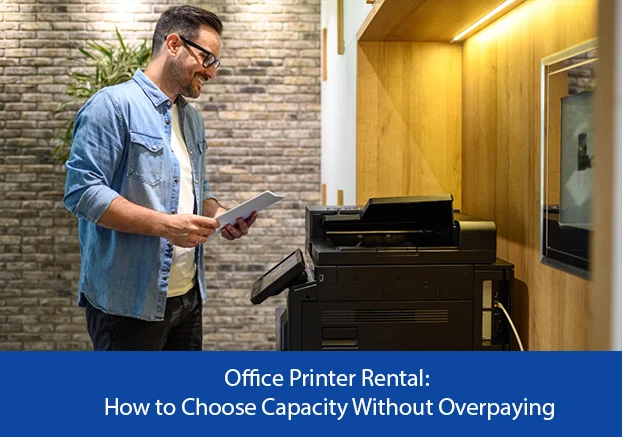
Office Printer Rental: How to Choose Capacity Without Overpaying

For organisations evaluating office printer rental, the decision is rarely only about finding a machine. The real objective is to keep documents moving without unnecessary capital cost, repeated repair worries or avoidable downtime. A-One Copier Services Pvt. Ltd. has supplied printer and photocopier rental solutions since 2003, supporting offices with equipment selection, installation, network configuration, maintenance and technical assistance. The right office printer should handle normal workload comfortably without forcing the business to pay for enterprise-level capacity that is rarely used. Why Businesses in India Prefer Renting Printers Buying a commercial printer can tie up capital in equipment that starts depreciating immediately. Rental allows an organisation to use a machine according to its current workload while keeping cash available for hiring, inventory, marketing, technology or expansion. Rental is also useful when print volumes change. A growing office may start with one multifunction device and later require a faster model or additional units. Instead of replacing owned equipment, the rental arrangement can be reviewed as the requirement evolves. Another practical benefit is service responsibility. Routine maintenance, troubleshooting and consumable planning can consume staff time. A structured rental plan reduces that administrative burden and gives the office a defined support route when the machine needs attention. What to Check Before Renting a Printer Start with monthly print and copy volume. A low-volume team does not need the same hardware as a legal office, school, hospital or back-office operation producing thousands of pages. Choosing capacity correctly affects both cost and reliability. Check whether you need monochrome or colour output, A4 or A3 paper handling, duplex printing, scanning, network printing, secure user access and finishing features. It is better to define these requirements before selecting a model than to pay for features the team will rarely use. Ask how service calls, preventive maintenance, toner or consumables, spare parts, replacement equipment and response timelines are handled. The rental price matters, but business continuity often matters more. Where Rental Creates the Most Value Printer and photocopier rental can suit corporate offices, startups, schools, coaching centres, hospitals, diagnostic centres, law firms, chartered accountants, government departments, real-estate teams, warehouses and manufacturing units. Each sector has a different document workflow, so machine selection should follow actual usage rather than a generic package. Short projects, new branches, temporary offices, seasonal workloads and events can also justify rental. In these cases, buying hardware for a limited requirement can create avoidable storage, resale and maintenance issues after the project is complete. How A-One Copier Services Supports Business Printing Businesses can explore printer rental services for flexible office requirements. Depending on location and workload, relevant service pages include photocopier machine on rent in Delhi, printer on rent in Noida, photocopier machine on rent in Mumbai, and photocopier machine on rent in Hyderabad. These options are useful for organisations that want installation, maintenance and technical support to be handled as part of the rental relationship. A Practical Rental Decision Checklist Estimate average monthly pages and peak-period volume. Note how many users will share the device and whether multiple departments need access. List must-have functions such as print, copy, scan, colour, A3, duplex, wireless or network printing. Separate essential features from nice-to-have features. Compare rental terms beyond the headline monthly price. Clarify support coverage, consumables, maintenance, service response, upgrades and replacement arrangements. Confirm installation and network setup requirements before delivery so the device can be productive from day one rather than sitting unused while drivers or access settings are being resolved. Review the arrangement periodically. If print volume rises or falls, a different machine may be more economical and reliable. Frequently Asked Questions Is office printer rental suitable for small businesses? Yes. A small office can rent a device matched to modest print volumes and avoid purchasing more equipment than it needs. Are maintenance and technical support important in a rental plan? Yes. Support terms can have a direct effect on uptime, so businesses should understand what is included before signing an agreement. Can a rented machine be upgraded later? In many rental arrangements, equipment can be reviewed when usage changes. The exact upgrade terms should be confirmed with the provider. What information should I share before asking for a quote? Share expected monthly volume, colour or monochrome requirement, paper size, number of users, scanning needs, location and preferred rental duration. Conclusion office printer rental can be a practical way to obtain reliable business printing capacity without committing capital to equipment ownership. The best result comes from matching the device and service plan to real workload, not simply choosing the cheapest machine. Visit  A-One Copier Services to discuss machine type, print volume, rental duration and support requirements before selecting a suitable printer or photocopier.

Blog

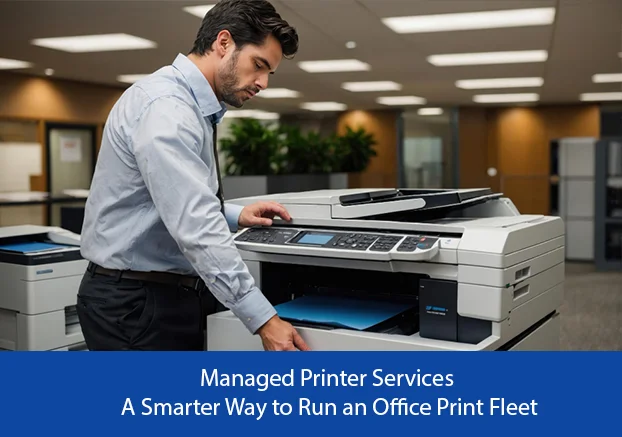
Managed Printer Services: A Smarter Way to Run an Office Print Fleet

For organisations evaluating managed printer services, the decision is rarely only about finding a machine. The real objective is to keep documents moving without unnecessary capital cost, repeated repair worries or avoidable downtime. A-One Copier Services Pvt. Ltd. has supplied printer and photocopier rental solutions since 2003, supporting offices with equipment selection, installation, network configuration, maintenance and technical assistance. Managed printing is useful when a company wants one coordinated approach to devices, maintenance, consumables and support rather than managing every printer separately. Why Businesses in India Prefer Renting Printers Buying a commercial printer can tie up capital in equipment that starts depreciating immediately. Rental allows an organisation to use a machine according to its current workload while keeping cash available for hiring, inventory, marketing, technology or expansion. Rental is also useful when print volumes change. A growing office may start with one multifunction device and later require a faster model or additional units. Instead of replacing owned equipment, the rental arrangement can be reviewed as the requirement evolves. Another practical benefit is service responsibility. Routine maintenance, troubleshooting and consumable planning can consume staff time. A structured rental plan reduces that administrative burden and gives the office a defined support route when the machine needs attention. What to Check Before Renting a Printer Start with monthly print and copy volume. A low-volume team does not need the same hardware as a legal office, school, hospital or back-office operation producing thousands of pages. Choosing capacity correctly affects both cost and reliability. Check whether you need monochrome or colour output, A4 or A3 paper handling, duplex printing, scanning, network printing, secure user access and finishing features. It is better to define these requirements before selecting a model than to pay for features the team will rarely use. Ask how service calls, preventive maintenance, toner or consumables, spare parts, replacement equipment and response timelines are handled. The rental price matters, but business continuity often matters more. Where Rental Creates the Most Value Printer and photocopier rental can suit corporate offices, startups, schools, coaching centres, hospitals, diagnostic centres, law firms, chartered accountants, government departments, real-estate teams, warehouses and manufacturing units. Each sector has a different document workflow, so machine selection should follow actual usage rather than a generic package. Short projects, new branches, temporary offices, seasonal workloads and events can also justify rental. In these cases, buying hardware for a limited requirement can create avoidable storage, resale and maintenance issues after the project is complete. How A-One Copier Services Supports Business Printing Businesses can explore printer rental services for flexible office requirements. Depending on location and workload, relevant service pages include photocopier machine on rent in Delhi, printer on rent in Noida, photocopier machine on rent in Mumbai, and photocopier machine on rent in Hyderabad. These options are useful for organisations that want installation, maintenance and technical support to be handled as part of the rental relationship. A Practical Rental Decision Checklist Estimate average monthly pages and peak-period volume. Note how many users will share the device and whether multiple departments need access. List must-have functions such as print, copy, scan, colour, A3, duplex, wireless or network printing. Separate essential features from nice-to-have features. Compare rental terms beyond the headline monthly price. Clarify support coverage, consumables, maintenance, service response, upgrades and replacement arrangements. Confirm installation and network setup requirements before delivery so the device can be productive from day one rather than sitting unused while drivers or access settings are being resolved. Review the arrangement periodically. If print volume rises or falls, a different machine may be more economical and reliable. Frequently Asked Questions Is managed printer services suitable for small businesses? Yes. A small office can rent a device matched to modest print volumes and avoid purchasing more equipment than it needs. Are maintenance and technical support important in a rental plan? Yes. Support terms can have a direct effect on uptime, so businesses should understand what is included before signing an agreement. Can a rented machine be upgraded later? In many rental arrangements, equipment can be reviewed when usage changes. The exact upgrade terms should be confirmed with the provider. What information should I share before asking for a quote? Share expected monthly volume, colour or monochrome requirement, paper size, number of users, scanning needs, location and preferred rental duration. Conclusion Managed Printer Services can be a practical way to obtain reliable business printing capacity without committing capital to equipment ownership. The best result comes from matching the device and service plan to real workload, not simply choosing the cheapest machine. Visit A-One Copier Services to discuss machine type, print volume, rental duration and support requirements before selecting a suitable printer or photocopier.

Scroll to Top